

greetform vs Tally: free form builder or post-subscribe tool?
Tally is a free, flexible form builder. greetform is built for the moment after a newsletter signup. A fair look at what each does, what each costs, and when to pick which.


- Tally is a general form builder. Its pricing page lists unlimited forms and unlimited submissions on the free plan, within its fair usage guidelines.
- Tally's free plan includes conditional logic, payments, signatures, file uploads, and webhooks. For most one-off forms, that is hard to beat.
- greetform is built for one moment: the page a reader sees right after subscribing to a newsletter. It adds offers, an offer wall, lead pages, and lead routing around the questions.
- Tally's paid plans are Pro at $29 a month and Business at $89 a month, or about $24 and $74 a month billed yearly. greetform's are Starter at $49, Growth at $99, and Scale at $199, with a free plan up to 250 new subscribers a month (all as of October 2026).
- Plenty of newsletters can use both: Tally for general forms, greetform for the post-subscribe flow.
Pick Tally when you need a form for almost anything and want to pay little or nothing. Pick greetform when the job is what happens right after someone joins your newsletter: a short set of questions, an offer that fits the answers, and a lead you can hand to a sponsor or advertiser.
The honest starting point
Tally is good, and its free plan is generous. If you are comparing it with greetform because you want a form tool that does not cost anything, Tally is a serious answer.
The two tools are not really chasing the same job, though. Tally describes itself as a free form builder where you type questions like a document. greetform describes itself as the form a newsletter shows right after someone signs up, with offers and leads attached.
Short answer: A flexible form builder versus a newsletter-specific flow. Tally is the better choice for general forms at the lowest cost. greetform is the better choice when the post-subscribe moment is where you want to earn.
What Tally does well
Tally's home page and pricing page, which we opened for this guide, list a long set of features on the free plan. The ones that matter most here:
- Unlimited forms and unlimited submissions, subject to fair usage guidelines.
- Conditional logic and calculations, including showing and hiding blocks and branching.
- Payments, signatures, and file uploads.
- Hidden fields filled from URL parameters, answer piping, and redirect on completion.
- Google Sheets, Notion, Airtable, Zapier, Make, and webhooks on the free plan.
- On the home page, an MCP server and Claude among its listed integrations.
Paid plans add things like removing Tally branding, custom domains, partial submissions, custom CSS, and form analytics on Pro ($29 a month, or about $24 a month billed yearly), and data retention controls and email verification on Business ($89 a month, or about $74 a month billed yearly).
Choose Tally if: You want one cheap, flexible tool for many kinds of forms. Think event registrations, applications, feedback forms, order forms, and anything where you collect a submission and move on.
Where a form builder stops for a newsletter
A Tally form can ask your new subscribers questions, and it can branch on the answers. You can send people to it with a redirect after signup. That works.
What the Tally pages we opened do not describe is the layer around those questions: an offer wall, offer cards that appear mid-survey, lead pages tied to a specific offer, or routing a lead to a sponsor. The integrations Tally lists on its home page do not name Beehiiv, Mailchimp, or ActiveCampaign; it lists Zapier, Make, n8n, and webhooks for connecting to other tools. If you want an answer to land in Beehiiv, Mailchimp, or ActiveCampaign, you would set that up yourself through a connector such as Zapier. Tally's help pages also list a ready-made IFTTT applet for Mailchimp.
The gap: A good form is not the same as a revenue step. Tally collects the answers well. Turning those answers into an offer, a lead, and a field in your email platform is work you would assemble yourself.
What greetform is built for
greetform starts after the subscription has already succeeded. The reader answers a few questions, each answer decides the next question, and offers appear when they fit.
- Conditional logic where each answer picks the next question, on every plan including Free.
- Inline offer cards that appear mid-survey, and a custom offer wall at the end.
- Lead pages you own, one per offer, with lead routing and tracking.
- Integrations with Beehiiv, Mailchimp, ActiveCampaign, Zapier, and Claude.
Choose greetform if: The post-subscribe moment is where you want to earn. Your priority is zero-party data, owned offers, sponsor or advertiser leads, and proof of what happened.
What it looked like on three of our own newsletters
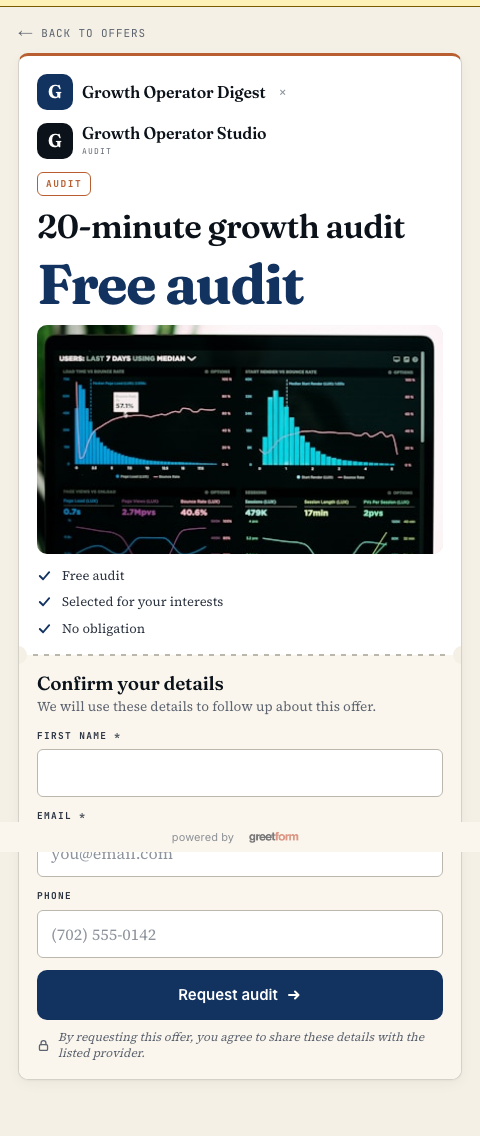
We run greetform on three newsletters we own: Forest City Insider, Henderson HQ, and West Vegas HQ. Between August 2 and October 30, 2026, 3,173 of 4,681 new subscribers finished the survey, which is 68%. In the same period, 159 leads came in.
That is one set of newsletters in one kind of market, so treat it as an example of what the flow produced for us, not a promise for yours.
Pricing side by side (as of October 2026)
What each one charges, from each company's pricing page
- Tally Free: $0. Unlimited forms and submissions within its fair usage guidelines.
- Tally Pro: $29 a month, or $290 a year (about $24 a month).
- Tally Business: $89 a month, or $890 a year (about $74 a month).
- greetform Free: $0. 250 new subscribers a month, 1 publication.
- greetform Starter: $49 a month. 2,500 new subscribers a month, 1 publication.
- greetform Growth: $99 a month. 5,000 new subscribers a month, up to 3 publications.
- greetform Scale: $199 a month. 10,000 new subscribers a month, up to 10 publications.
The meters are different. Tally does not list a submission cap; greetform meters by new subscribers a month. If all you need is a form, Tally costs less. If you need offers, leads, and email platform sync around the form, you are comparing different products, not just different prices.
The practical decision table
Primary fit by job to be done
- Your main job: Event registration, applications, or feedback forms. Better starting point: Tally. Why: Free, flexible, and no meter on submissions.
- Your main job: Payments, signatures, or file uploads. Better starting point: Tally. Why: Built into the form builder, including on the free plan.
- Your main job: A post-subscribe survey with offers. Better starting point: greetform. Why: Questions, offer cards, an offer wall, and lead pages are one flow.
- Your main job: Sponsor or advertiser leads from new subscribers. Better starting point: greetform. Why: Lead pages and routing are part of the product.
- Your main job: Both general forms and a newsletter. Better starting point: Both. Why: Tally for the general forms, greetform for the moment after signup.
Can a newsletter use both? Yes.
- 01Keep Tally for general forms
Reader surveys, event signups, and sponsor applications can stay where they are.
- 02Add greetform right after the subscribe
Ask the few questions that change what a reader sees next.
- 03Show the offer that fits
Route interested readers to your product, a sponsor, or an advertiser lead page.
- 04Check what happened
Look at completions, leads, and offer activity in one place.
What this guide checked
Tally pricing: Free, Pro, and Business, with the feature lists for each. Opened October 2026.
Tally features: Pro at $29 a month or $290 a year, Business at $89 a month or $890 a year. Opened October 2026.
Tally home page: Product description, conditional logic, and the integrations Tally lists. Opened October 2026.
greetform pricing and examples: greetform plans, limits, and use-case examples.
Questions people ask
Is Tally free?
Can I use Tally as a post-subscribe survey?
Do I have to choose one?

TJ Larkin builds software for local media at 8th replay, the company behind greetform, larkfeed and lightbreak. He and his team run more than 20 local newsletters, and greetform started as the form they built for their own readers.