
The real question isn't which form builder is better
Jotform and greetform can both ask a question and branch on the answer. That surface similarity misses the point. Jotform is a general-purpose form and workflow platform used for applications, registrations, payments, and internal processes across an entire business. greetform is built around one specific moment: what happens right after someone subscribes to a newsletter.
What Jotform is built for
Jotform describes itself as spanning data collection, Jotform Tables, workflow automation, document automation, e-signatures, an app and store builder, and AI-powered form creation. Its conditional logic, called "Conditional Logic" in the builder, can show or hide a field, skip to a page, update or calculate a field, change the thank-you page, or send an email based on an answer.
- A large template library across applications, registrations, orders, and surveys.
- Payments, e-signatures, and file uploads built into the same form.
- Show/hide, skip-to-page, and calculation-based conditional logic.
- 150-plus business integrations and an AI form and app builder.
Where Jotform stops for a newsletter
Jotform's newsletter material is a signup-form template: build the form, collect the email, receive the submission in Jotform Tables. It has a native Beehiiv integration that adds new submissions as subscribers, and a confirmed Mailchimp integration for lead capture into a list. Neither goes further than moving a new subscriber's email into the ESP. There is no documented layer for what happens to that subscriber next.
What greetform is built for
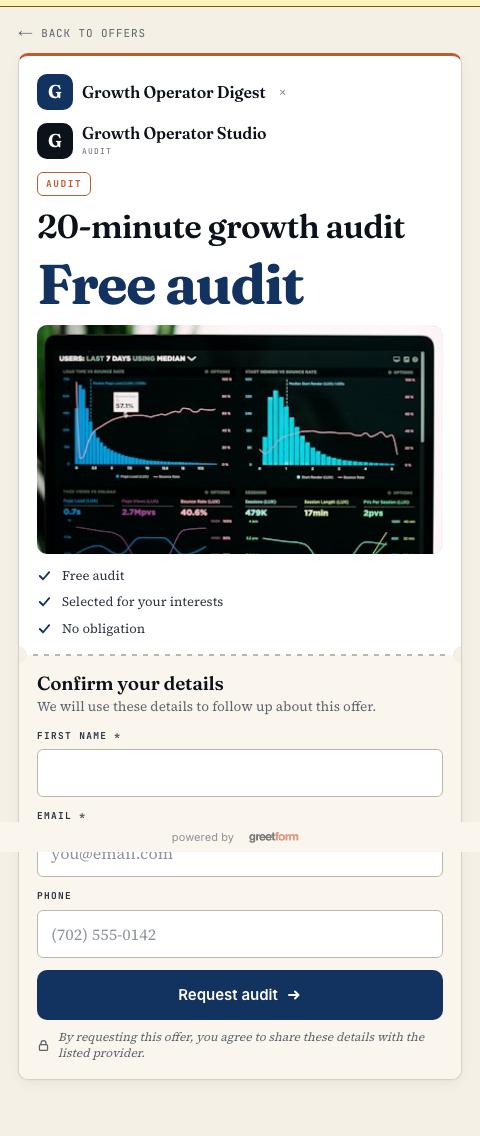
greetform starts after the subscription already succeeded. It asks one to a few conditional questions built for newsletter segmentation, shows an offer relevant to what the subscriber just said, captures any resulting lead on a branded page, and syncs the fields that matter into the newsletter's existing ESP.
- Conditional questions built for newsletter audience segmentation, not generic form branching.
- An offer wall that routes a subscriber toward a membership, product, sponsor, or advertiser based on their answers.
- Lead capture on a branded page, with the lead tied back to the specific offer and question path.
- ESP field sync so the newsletter platform still owns the ongoing relationship.
The practical decision table
| Your main job | Better starting point | Why |
|---|---|---|
| Applications, registrations, or internal workflows | Jotform | Broad templates, payments, signatures, and file handling across many use cases. |
| Newsletter post-subscribe survey and offer routing | greetform | Built specifically for the newsletter moment, not adapted from a general form builder. |
| Standalone payment or signature collection | Jotform | Purpose-built payment and e-signature fields. |
| Turning a new subscriber's answer into a relevant offer | greetform | Conditional logic connects directly to offers, leads, and ESP fields in one flow. |
| Both a general intake process and a newsletter | Both | Jotform for operations forms, greetform for the post-subscribe continuation. |
Scenario: a local newsletter uses both for different jobs
A city newsletter might use Jotform for its annual reader survey, sponsor application form, or event registration, all general intake needs with file uploads or payments involved. The same newsletter can use greetform right after someone subscribes, asking which neighborhood matters and routing that answer toward a relevant local offer or advertiser lead page.
Neither tool replaces the other's job. Jotform collects a submission for later processing. greetform continues a newsletter subscription while the reader is still paying attention.